Proton Mail combines encrypted storage, email aliases and phishing alerts to reduce inbox risks that can expose crypto accounts.
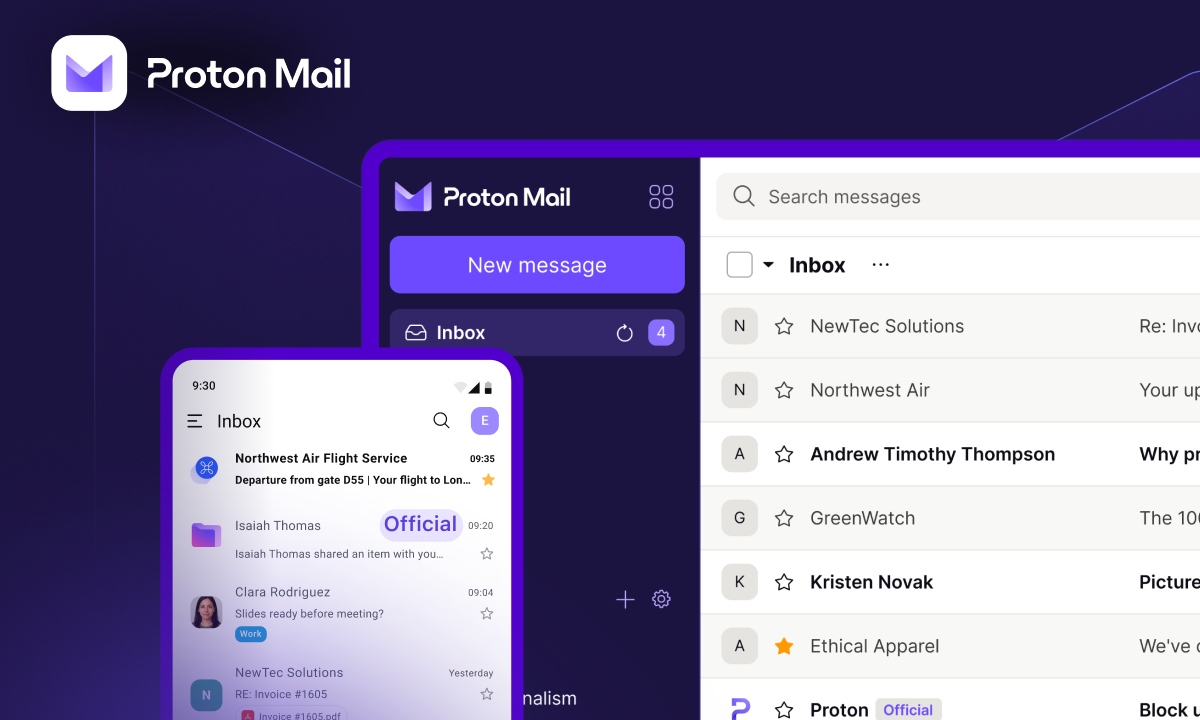
Email can be a weak link in crypto account security. Exchanges and other platforms use it for password resets, withdrawal confirmations, login codes and alerts about suspicious activity. That makes an inbox a valuable target: compromising it can give an attacker a route to accounts elsewhere. Proton Mail offers several protections aimed at reducing that exposure, though users still need to secure their passwords, recovery details and devices.
Privacy starts with how messages are stored
Proton Mail is part of Proton, a Swiss company founded in 2014 by Andy Yen, Jason Stockman and Wei Sun. Its wider product range includes Proton VPN, Proton Drive and Proton Pass. The company says it serves more than 100 million accounts worldwide.
The service’s security model centers on encryption. Messages stored in a Proton Mail account use zero-access encryption, meaning Proton says it cannot decrypt their contents. Messages exchanged between Proton Mail users are end-to-end encrypted by default. This limits access to message contents, including by the service provider, once the messages are protected.
That distinction matters for crypto users who receive sensitive account notices or keep personal information in email. Many mainstream email providers encrypt data while it travels and while it sits on their servers, but may retain the technical ability to process message contents for functions such as spam filtering or email organization. Their practices vary, and personalized advertising does not by itself establish that a provider uses email contents to target ads.
Proton says it doesn’t display ads or track users for advertising purposes, and operates under Swiss privacy law. Its service is available on the web and through mobile apps. Users can also access Proton Calendar and Proton Meet; paid plans add custom email domains.

Encryption depends on protecting account recovery
When users set up an account, Proton Mail generates public and private encryption keys. A sender can use the recipient’s public key to encrypt a message; the corresponding private key is needed to decrypt it. Private keys also support digital signatures on outgoing messages.
Encryption introduces a practical responsibility: users need a way to recover access to their keys. If someone resets a forgotten password, they may lose access to earlier encryption keys and the messages those keys protect. Proton offers recovery options, including recovery phrases and recovery files. Saving a Recovery Kit during setup can therefore matter as much as choosing a strong password. Without an appropriate recovery method, previously stored email may become inaccessible.
Messages arriving from non-Proton providers aren’t end-to-end encrypted in transit by default. Proton says it applies zero-access encryption after those messages reach its service, protecting their stored contents. That helps secure the mailbox at rest, but it doesn’t make the entire communication path equivalent to an end-to-end encrypted exchange between Proton users.
Aliases can limit exposure from a single breach
Hide-My-Email aliases let users provide a separate address to each service instead of sharing their primary inbox address. Mail Plus includes 10 aliases; Proton Unlimited includes unlimited aliases. If a crypto platform or decentralized application suffers a data leak, the exposed address can be disabled or deleted without replacing the primary email tied to other accounts.
That separation can make phishing attempts harder to personalize and can reduce the usefulness of a leaked customer list. It doesn’t prevent a platform breach or guarantee that an attacker can’t identify a user through other information. Its value is narrower and concrete: different services can be given different contact addresses, so one compromised list needn’t reveal the address used everywhere else.

Warnings help, but users still decide what to open
PhishGuard is designed to identify phishing messages and flag suspicious email with warning banners. Proton Mail also offers Link Confirmation, which prompts users to review a link before opening it. These tools address a common attack pattern: a message impersonates an exchange or another trusted service and directs the recipient to a fake login page, malicious attachment or harmful download.
Phishing defenses are most useful as prompts to pause and inspect. A warning can help users question an urgent request or a link that doesn’t match the expected destination, but no email filter can remove every deceptive message. Crypto users should still verify sensitive requests through a separately trusted channel and avoid entering credentials after following an unexpected email link.
Breach alerts and sign-in checks add another layer
Proton’s paid Dark Web Monitoring checks breach data for personal information tied to monitored email addresses and alerts users when it finds a match. Users can add up to 10 verified addresses from other providers in addition to their Proton addresses. Those alerts can prompt a password change or other account checks, especially if a password was reused. Monitoring can only report information found in the data it checks; it can’t prevent a breach or undo credential exposure.
Proton Sentinel focuses on suspicious sign-ins to Proton accounts. The service combines artificial intelligence with human security analysts to assess possible takeover attempts around the clock. When activity appears suspicious, it can require stronger login checks, potentially including a hardware security key, and escalate severe cases for analyst review. Sentinel is included with Proton Unlimited.
Plans, setup and migration
Proton Mail has a free plan with up to 1 GB of storage and one encrypted email address. Mail Plus is listed at $1.99 per month and includes 15 GB of storage, 10 encrypted addresses, one custom domain, 10 aliases, and unlimited folders and labels. Proton Unlimited is listed at $6.49 per month, with 500 GB of storage, 15 additional email addresses, three custom domains, unlimited aliases and advanced account protection. It also bundles premium features across Proton Mail, Drive, Pass and VPN.
New users can create an account by choosing a plan, selecting a username and password, choosing a Proton address ending in @proton.me or @protonmail.com, completing human verification and setting a display name. Proton recommends downloading and saving the Recovery Kit during setup.

For people switching from Gmail, Outlook or Yahoo, Proton’s Easy Switch tool can import messages, contacts and calendars. From account settings, users select “Easy Switch” and “Import via Easy Switch,” choose their provider, sign in and grant the requested permissions. They can review what to transfer and follow the import as it runs. The tool can also connect an external account for sending and receiving messages through Proton Mail during and after the transition.

For crypto users, an encrypted inbox is one part of account defense. Aliases can contain address exposure, phishing warnings can add a moment of scrutiny, and sign-in monitoring can make account takeover harder. The practical payoff depends on pairing those tools with careful recovery-key storage and sound login habits.

Discussion
Sign in to join the discussion.